
 Made For Gamers by gamers
Helps Streamers Engage audiences
Built IN Accessability
Digital Larynx in Action
Turn Text into performance
Watch how Digital Larynx transforms silent retro RPGs into fully voice-acted experiences. Using advanced OCR, it detects dialogue instantly and performs it with emotional depth.

Smart context awareness
The app knows where you are. It detects locations like “Throne Room” or “Overworld” to adjust the context of the performance automatically.

Dynamic Casting
Assign specific AI voices to your favorite characters, or use our curated defaults auto-cast voices for your favorite games.
The Process
How Digital Larynx turns game text into voice
Our engine transforms silent pixels into studio-quality performance in milliseconds. All without ever touching your game files.
THE EYES
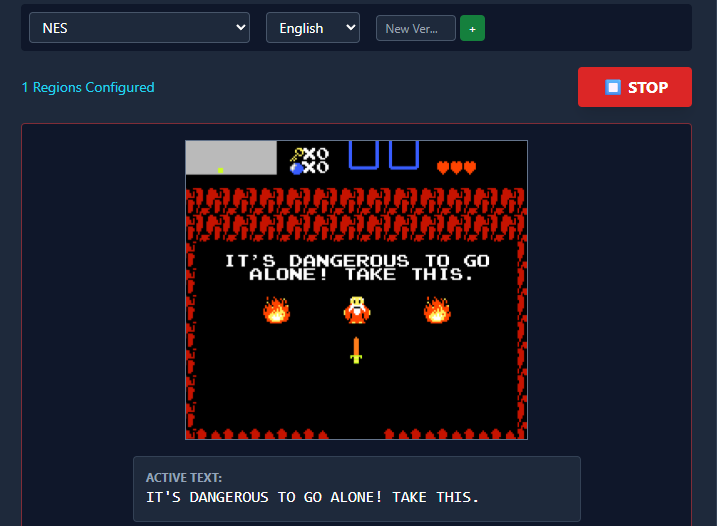
Optical Character Recognition
You simply draw a transparent overlay box over your game’s dialogue area. Our local OCR engine constantly scans that region, converting raw pixels into text instantly. Because it relies on vision, it works with any game window and never triggers anti-cheat software.
THE BRAIN

Intelligent Script Analysis
The engine doesn’t just read; it understands. It matches the scanned text against your game’s script to identify exactly who is speaking and where they are (e.g., “Throne Room” vs. “Overworld”). If you skip a line, our “Fuzzy Search” logic instantly jumps ahead to keep the audio in sync.
THE VOICE
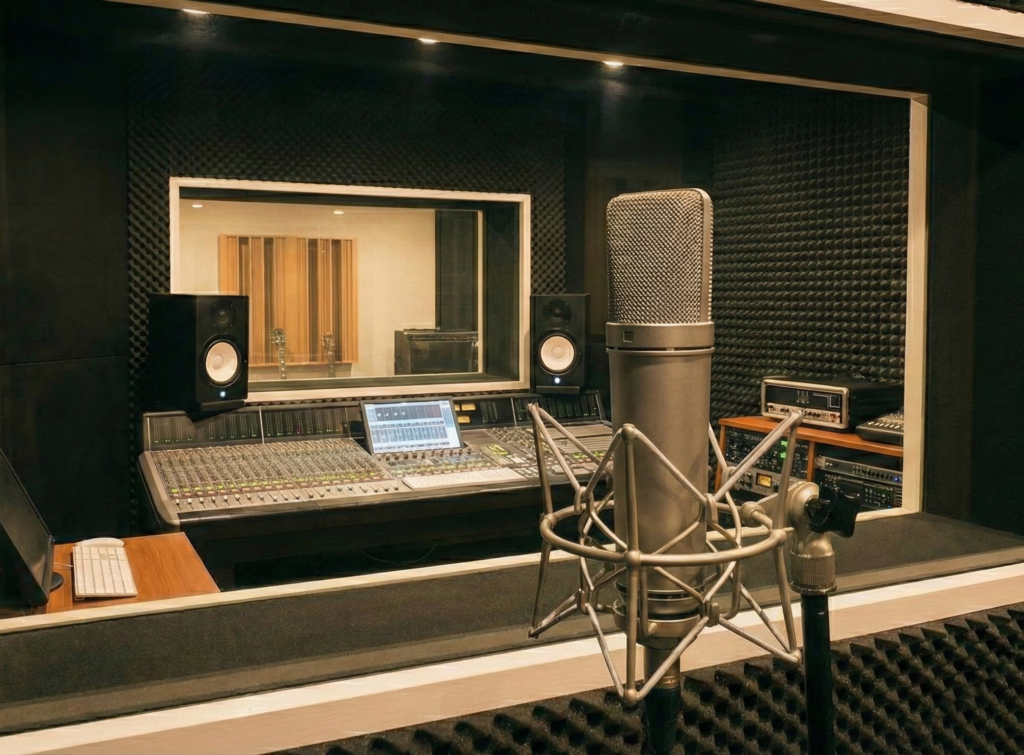
Zero-Latency Audio
Once matched, the line is performed by the specific AI voice you assigned to that character. To prevent lag, the system “looks ahead” in the script, pre-caching the next few lines so the audio plays the instant the text appears on screen.
Subscription levels
Choose your fate:
Casual
$10/mo
- 15,000 Credits
- ~10 Hours Gameplay
- Access to AI Voices
Gamer
$20/mo
- 40,000 Credits
- ~25 Hours Gameplay
- Smart Vision AI

Pro Gamer
$40/mo
- 100,000 Credits
- ~60 Hours Gameplay
- Easy cloud sync
Streamer
$99/mo
- 250,000 Credits
- ~150 Hours Gameplay
- Commercial Rights

Hardcore Gamer
$250/mo
- 1,000,000 Credits
- UNLIMITED POWER
- Early feature access
FAQ
have any questions for us?
Lorem ipsum dolor sit amet, consectetur adipiscing elit. Proin nisi elit, consequat pharetra elementum nec, eleifend non turpis.
How does Digital Larynx read game text?
It uses a visual process called OCR (Optical Character Recognition). You simply draw a transparent overlay box around the dialogue area of your game window. The app constantly scans that region, converts the imagery to text, and uses AI to generate the voice in real-time. Because it relies on vision, it doesn’t need to “hack” or modify your game files.
Does it work with any game?
Yes! Since Digital Larynx uses screen capture rather than internal code hooks, it works with almost any game that displays text in a clear window. It is specifically optimized for text-heavy genres like RPGs and Visual Novels. If a game isn’t in our library, you can add it yourself using the “Add Game” wizard.
What if There’s no script for the Game?
We have a feature for that called Smart Vision. If the app encounters a line of dialogue that doesn’t match a known script, it uses GPT-4o Vision to analyze the screen, read the text, and dynamically infer who is speaking to generate the correct voice on the fly.
Can I customize character voices?
Yes, you are the Casting Director. You can review all detected characters in a script and assign specific voices to them. You can even assign Contextual Voices, giving a character a different tone depending on if they are in a throne room or the local village.
Is there a free version?
Yes. The Free Tier gives you unlimited access to the Script Formatter and allows you to use your computer’s local system voices for performance. To unlock high-quality AI cloud voices and advanced features like Smart Vision, you will need a subscription.
Will this cause lag while I’m playing?
We have designed the audio engine to minimize any impact on your gameplay. The app uses Pre-Caching to “look ahead” 3 lines in the script and generate the audio in the background before you even reach that dialogue. This ensures the voice plays instantly when the text appears on screen.
Do I need an internet connection?
For the current version, yes. An active internet connection is required to authenticate your account via Supabase and to generate premium AI audio via the cloud. We are planning a “Validated Offline Mode” for a future update.
Can I stream on youtube, twitch, or kick?
Absolutely. Digital Larynx was built as a companion app for streamers. If you are on the Streamer Tier, your subscription includes Commercial Rights, ensuring you are clear to broadcast the generated audio to your audience without licensing issues.